Q-Cop — Built For Cops, By Cops

Every offence, power and definition. In your pocket. With no signal.

Q-Cop puts Queensland offences, police powers, legal definitions and the QPS manuals on your phone — and keeps them there, so it works in a dead spot, in a basement, or with your data turned off.

Get Q-Cop

Free. Sign in once with your email address.

1,078offences
331police powers
2,641definitions
229prescribed indictable offences
3,392manual sections

What it looks like

Real screens from the app, not mock-ups.

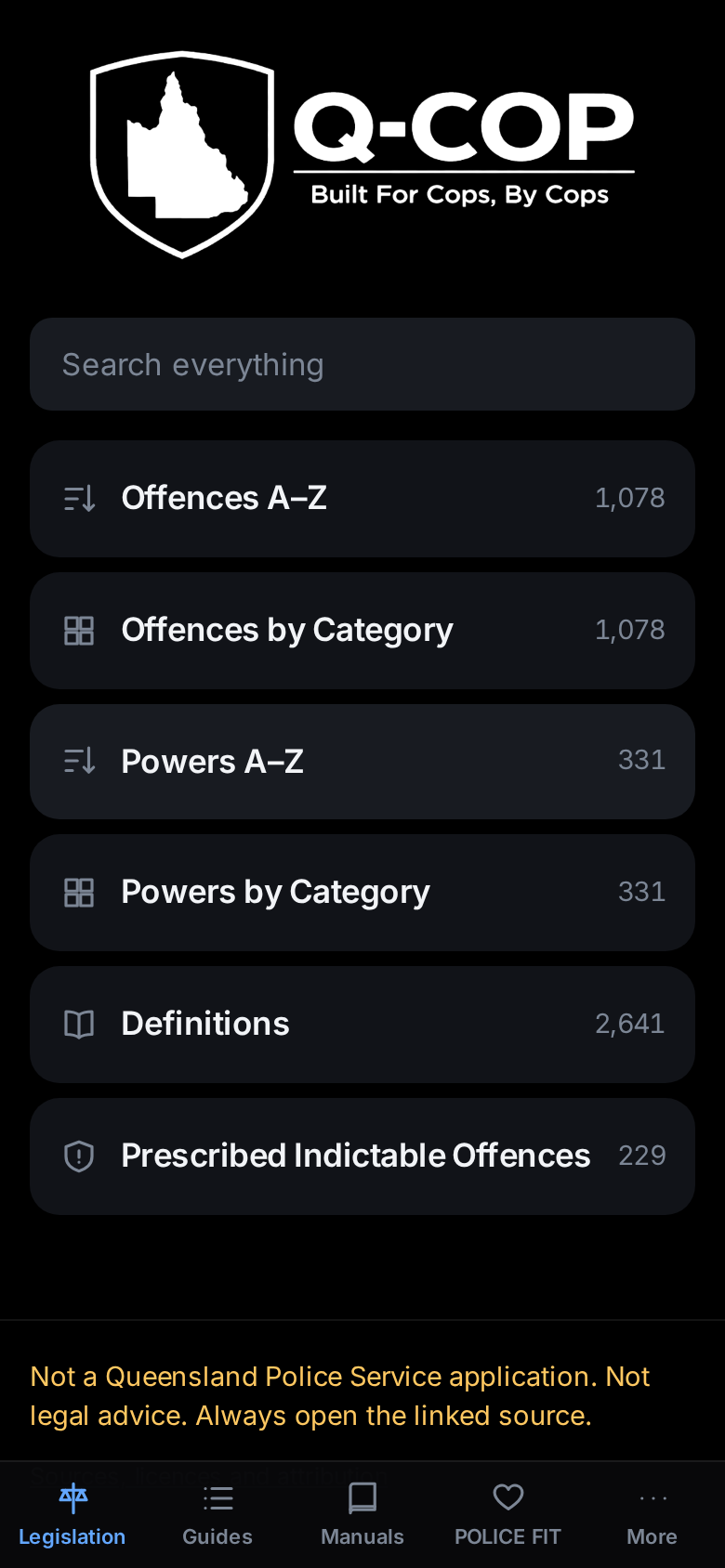
The Q-Cop home screen, with search and the main sections

Search everything, or browse

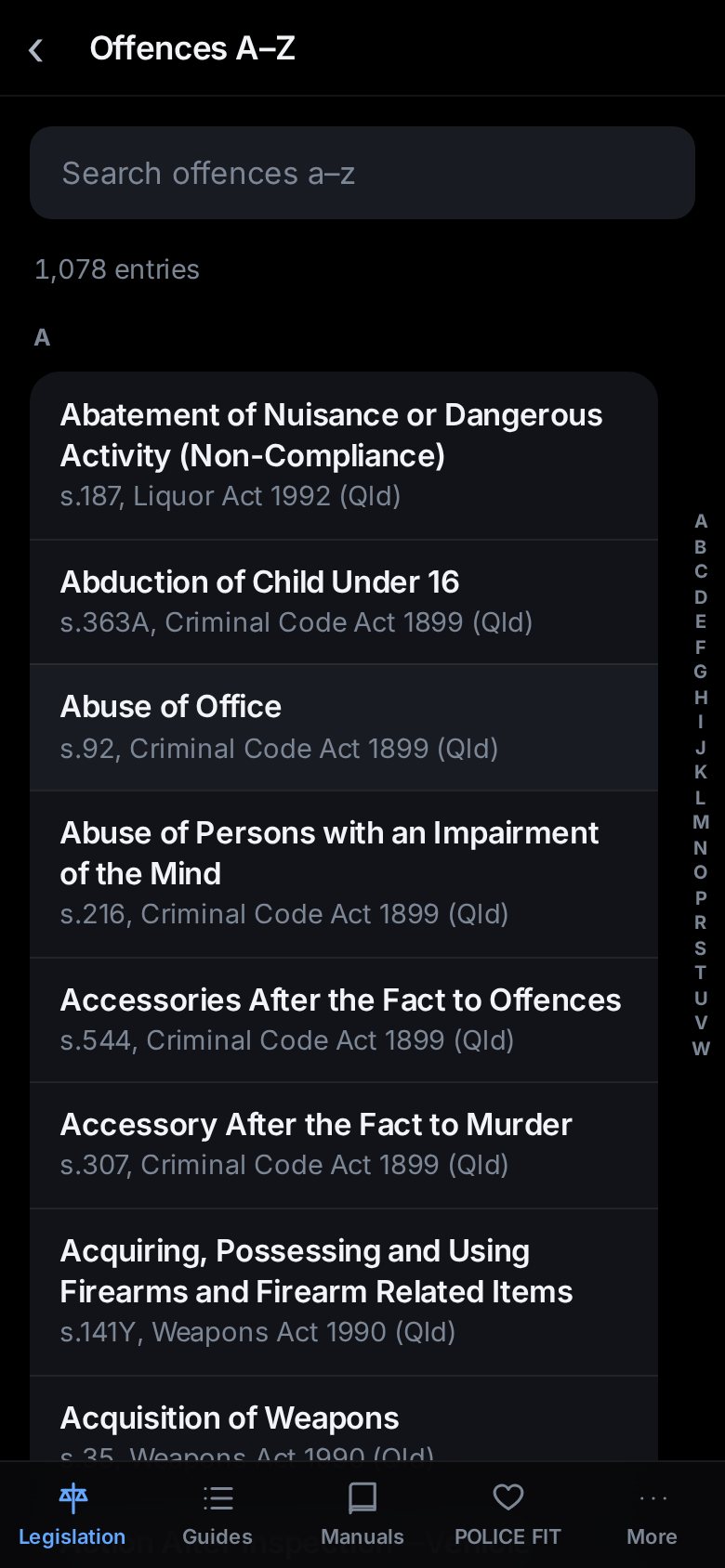
The offences list, A to Z, showing section numbers and Acts

1,078 offences, A–Z

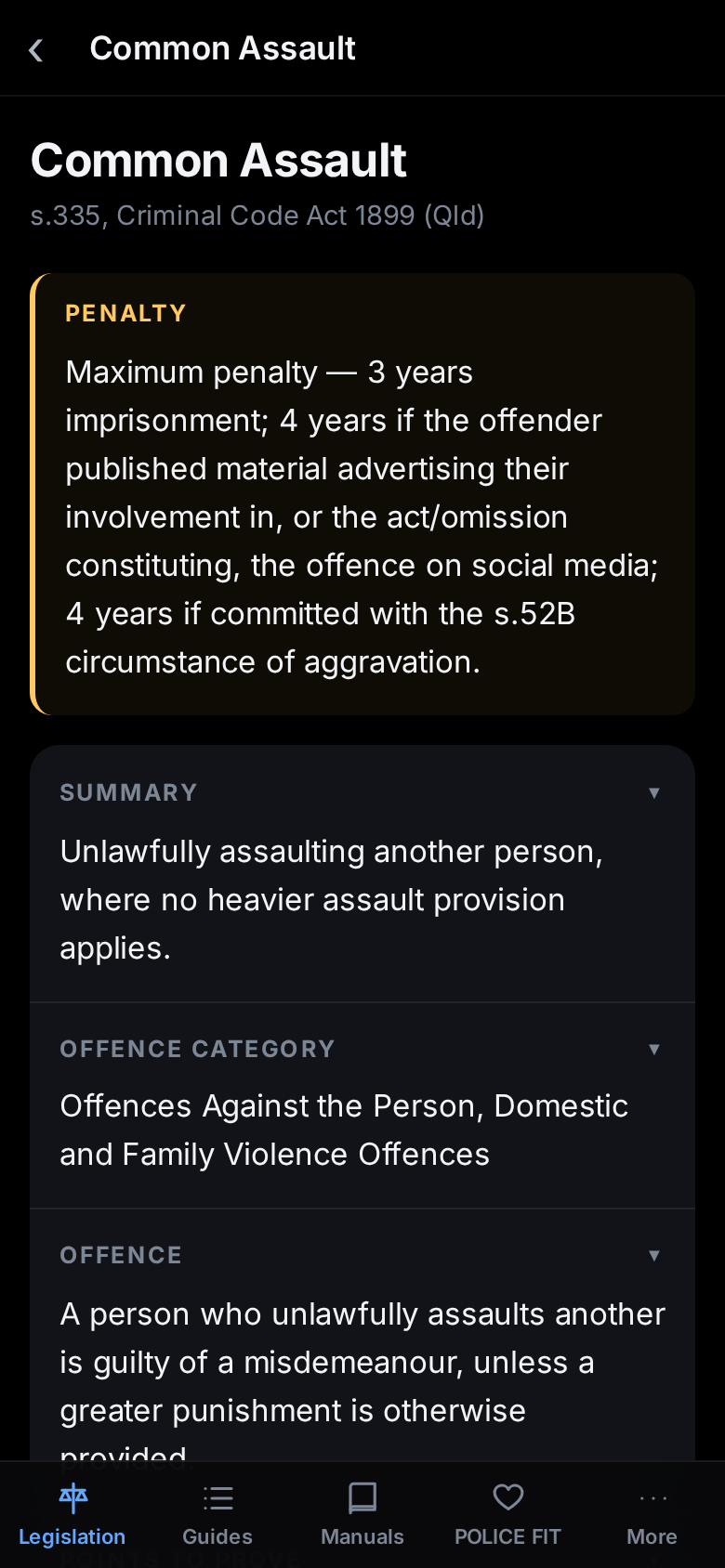
An offence record showing the maximum penalty, a summary and the wording of the section

Penalty first, then the section

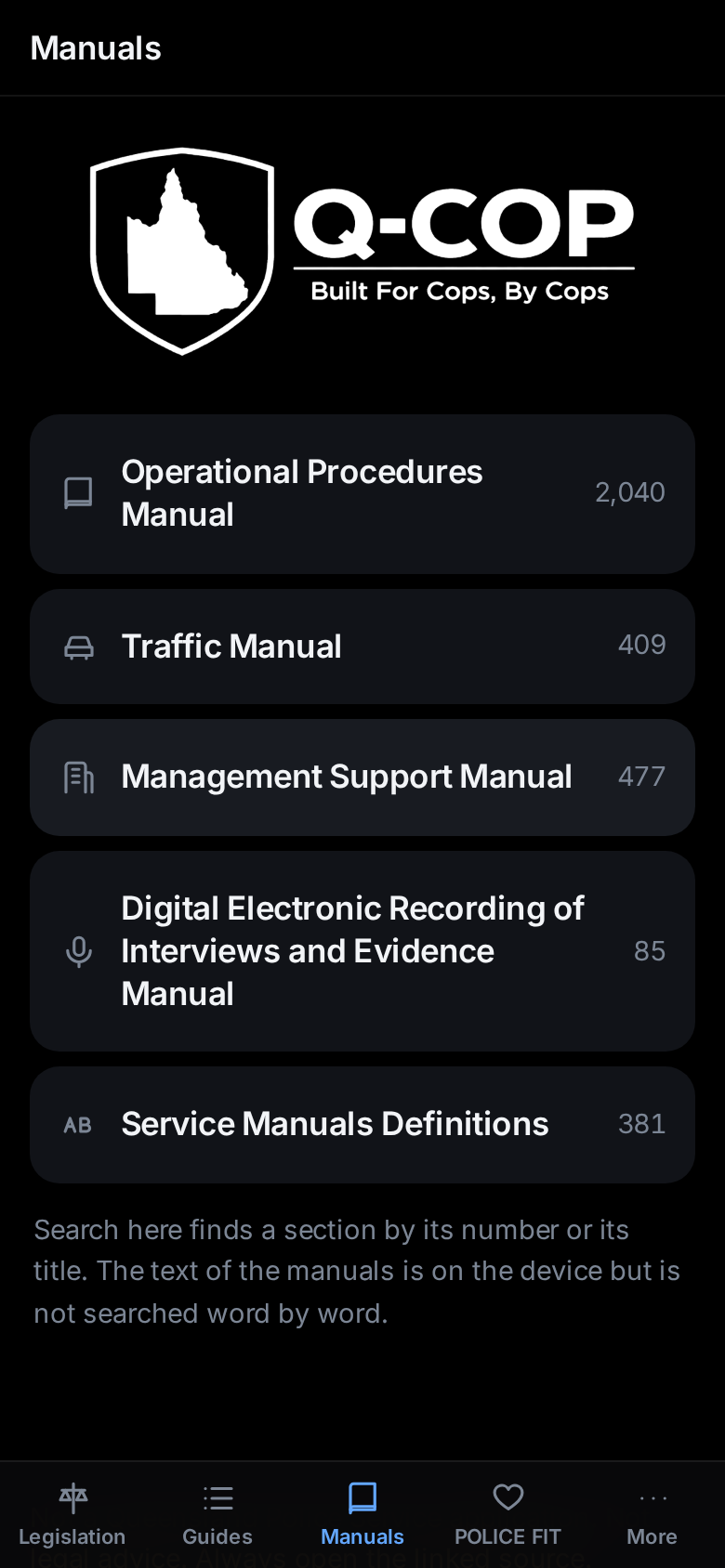
The manuals section listing the OPM, Traffic Manual, MSM, DERIE and Service Manuals Definitions

Five QPS manuals, searchable

Why offline matters

It does not need a tower

Everything is stored on the phone the first time you open it. After that Q-Cop never needs the network to answer a question — which is the point, because the places you most need to check a power are rarely the places with five bars.

It opens straight away

No loading, no spinner, no waiting for a page. You are looking at the offence while the browser version is still connecting.

Sign in once

One email, one six-digit code, and that is the last you will hear of it. Q-Cop does not ask you to sign in again, and it never checks with a server before opening.

Getting it on your phone

  1. Open app.qcop.com.au in Safari on an iPhone, or Chrome on an Android.
  2. Add it to your home screen. iPhone: the Share button, then Add to Home Screen. Android: the ⋮ menu, then Install app or Add to Home screen.
  3. Open it from the home screen icon and sign in with your email address. You will be sent a six-digit code.
  4. Wait for the green bar that says it is ready offline. That is the whole library downloading. After that it works with no signal at all.

Install it somewhere with normal internet

Q-Cop is a new website, and new websites are blocked by default on the QPS network until they are specifically allowed. Install it on a personal phone, or on a device that is not on the QPS network, and sign in once. From then on it works everywhere, including on duty and including with no signal, because nothing more needs to be downloaded.

Q-Cop is not currently available on the QPS network.

Already using Q-Cop?

Q-Cop is moving to its own home. Everything that was in the old app is here, along with the manuals, and it now works offline — which the old one never did. Open the link above and sign in with your email address. Nothing else to do.

What it is, and what it is not

What it is

  • A reference tool built by a serving Queensland police officer, in his own time.
  • A plain-language summary of each offence, power and definition, with the source section reproduced and a link to the official version.
  • Publicly available material — legislation and the public editions of the QPS manuals — reorganised so it can be found on a phone in under ten seconds.

What it is not

  • Not a Queensland Police Service application. It is not endorsed by, affiliated with or operated by the QPS.
  • It holds no QPS data. No restricted material, no internal systems, no operational information, nothing from QPRIME or any other QPS system.
  • Not legal advice. Every entry carries a link to the official source, and the official source governs.

Privacy

What is stored

Your email address, the date your account was created, and the dates you used the app. That is the entire record.

Your email address is used to send your sign-in code and to tell you about the app. It is not sold, shared or passed to anyone else.

What you search for never leaves your phone

Searching runs against the copy of the legislation stored on your own device. The text you type is not sent anywhere, is not recorded, and cannot be read by anyone — including whoever runs Q-Cop.

This is not a policy choice that could quietly change: there is nowhere for that text to go, because the search happens on the phone and not on a server.

Where the content comes from

Every record in Q-Cop carries its own source, the date it was taken, and a link to the official version. Nothing is paraphrased from memory.

QPS Operational Procedures Manual, Traffic Manual, Management Support Manual, DERIE Manual and Service Manuals Definitions — Public Editions, effective 2 September 2026, Queensland Police Service. © State of Queensland (Queensland Police Service), reproduced under a Creative Commons Attribution 4.0 licence.

Queensland legislation sourced from the Queensland Legislation website between 11 August and 17 September 2026 — each entry carries its own date — legislation.qld.gov.au. © State of Queensland, reproduced under a Creative Commons Attribution 4.0 licence.

Commonwealth legislation: Sourced from the Federal Register of Legislation at 17 September 2026. For the latest information on Australian Government law please go to legislation.gov.au. © Commonwealth of Australia, reproduced under a Creative Commons Attribution 4.0 licence.

The QPS logo and badge, the Queensland and Commonwealth coats of arms and any trade marks are not covered by those licences and are not reproduced here.

Contact

For all enquiries, reviews or requests, email elliott@qcop.org.

For news and update information, follow facebook.com/QCopApp.